
| Building: Nature Sciences I (NWI) | Administrator: | Birgit Regenfuß |
| Phone: 0921 / 55 - 2496 | Staff: | Ramona Eidelloth (part-time) | Email: tbn1@ub.uni-bayreuth.de | Thomas Zöller |
Departmental Library NW I (Biology and Chemistry)
Opening hours
| Mon - Fri | 08:00 - 20:00 |
| Closed on Sat, Sun and public holidays | |
Contact
Studying & Working
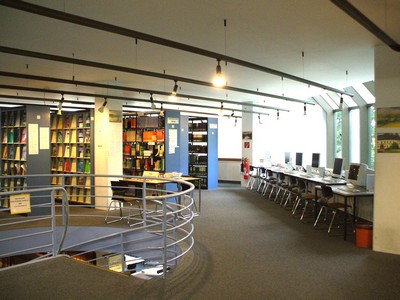
In the Departmental Library of Biology and Chemistry (Natural Sciences I) there are 75 workspaces, including
- 2 group rooms
- 5 computer work stations
- 1 display only workstation
- 2 height adjustable desks.
Self-checkout
Orders
The media you order is now placed on a freely accessible pick-up desk. The items on the desk are sorted alphabetically by collection code. The collection code consists of the first 3 letters of your surname and the last 4 digits of your library user number (e.g., TES1234). If your surname starts with „SCH“ or umlauts, the collection code is formed from the first 4 letters of your surname (e.g., SCHW3456, GOET5678).Media for reading room use only can be collected at the circulation desk. If you cannot find your collection code or your orders, please contact us at the circulation desk.
The media ordered can be borrowed using the self-checkout devices. For check-out by proxy, please contact the circulation desk.
Borrowing media
To borrow media, we offer you two self-checkout devices.
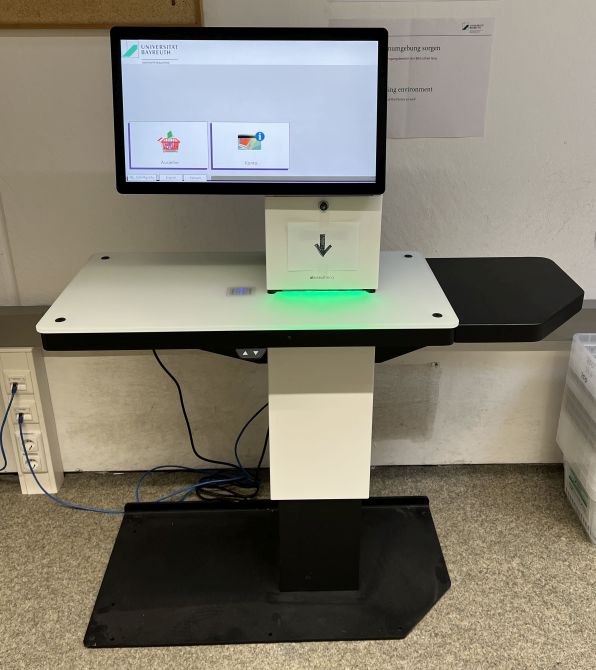
Before borrowing, please check the media for any damage and/or any inserts (e.g. CDs). If an item is damaged or the specified insert is missing, please contact the library staff.
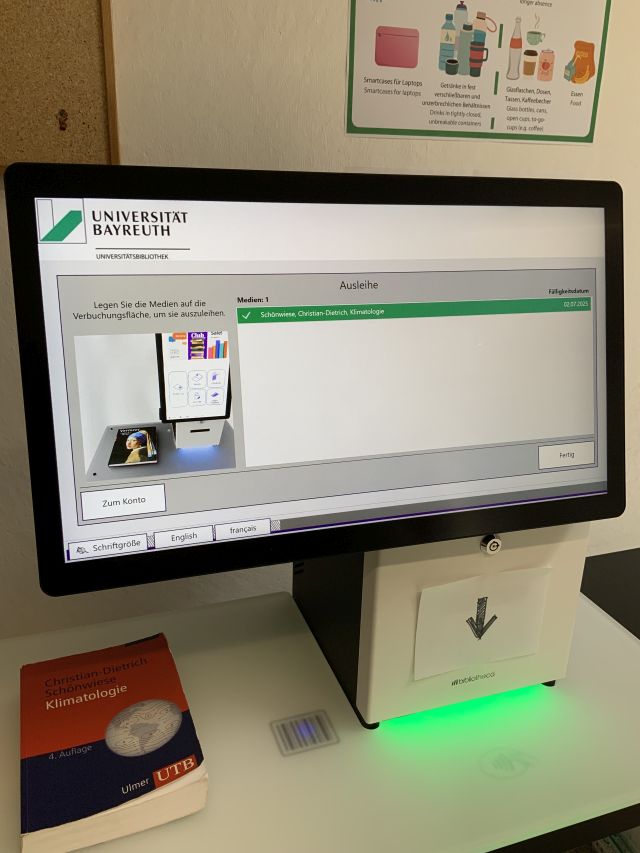
Please place items onto the panel for checkout individually and one by one. If a title is highlighted in red in the title list, an error has occurred during the checkout process. Please contact the library staff in this case, as well as if any other technical problems should occur.
Checking out media by proxy (= using a “Vollmacht”) is not possible at the self-checkout devices. The library card is required. For check-out by proxy, please contact the circulation desk.
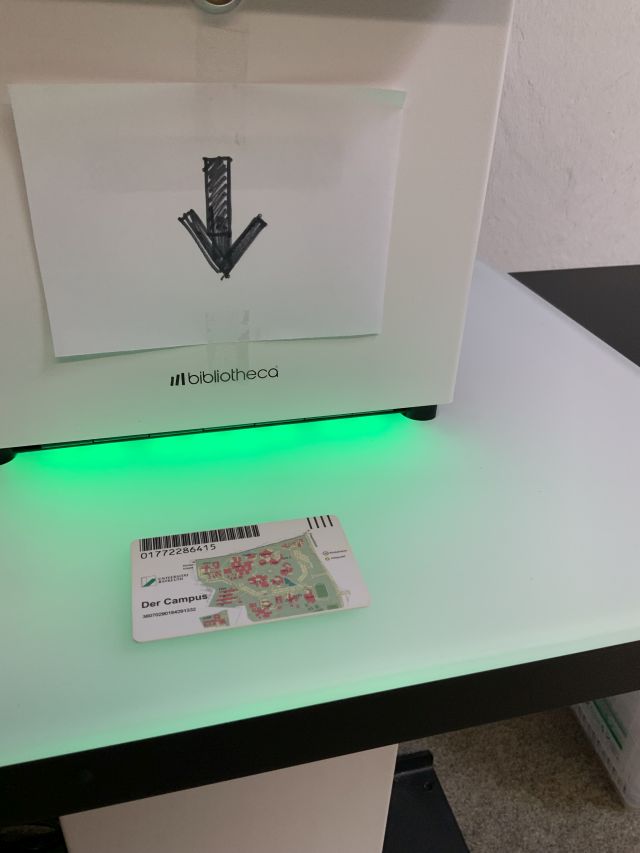
You can switch the language settings to English by clicking the corresponding icon. Click the button “Check-out” and hold your library card towards the area illuminated in green marked with the RFID symbol to log in.
Place the items you want to borrow on the backlit glass panel on the left side where a barcode is displayed one by one. Wait for the title of the item you want to borrow to be highlighted in green in the title list (confirmation for loan).
You can then remove the borrowed item and, if necessary, continue borrowing other items in the same way. You can exit the process by clicking "Finished".
A receipt for the loan will automatically be sent to the e-mail address that is connected to your library account.
Further Tips:
Returning media
You cannot return media using the self-checkout devices. Returns must be made at the circulation desk.